
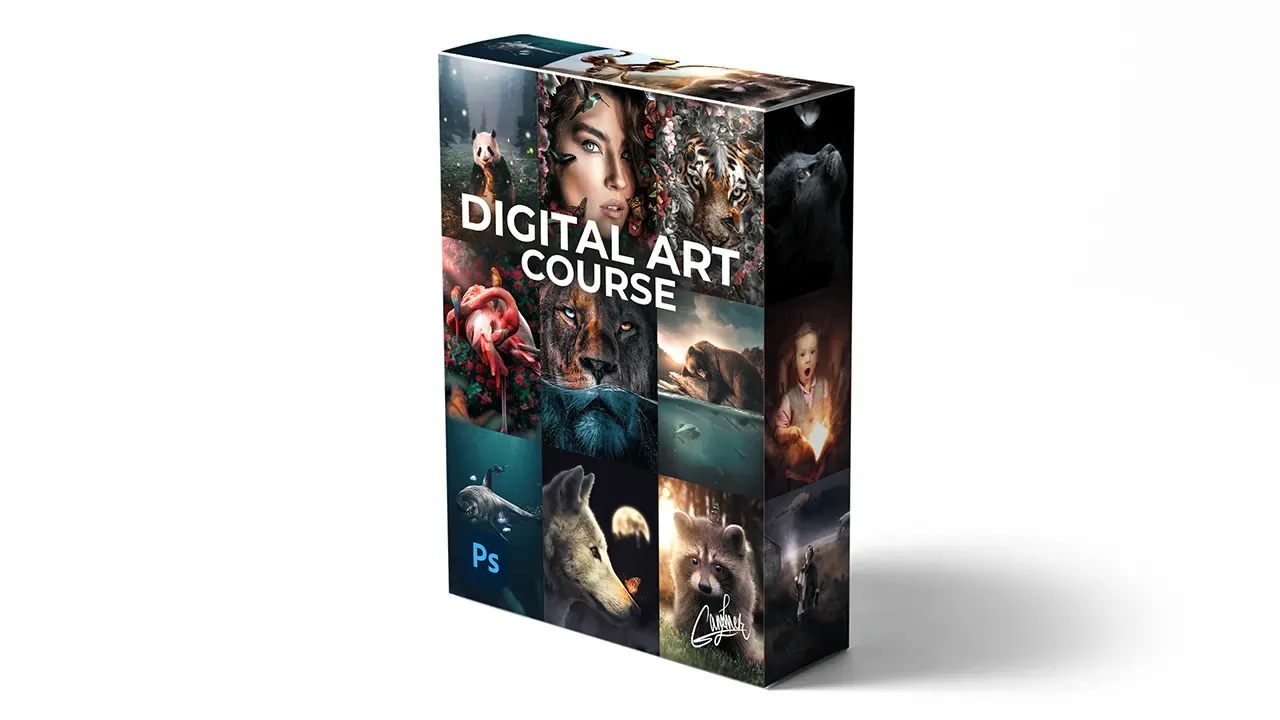
About Course
Get INSTANT access to the entire 16+ modules Digital Art Course to learn and master Adobe Photoshop including:
- LIFETIME access to everything
- 16+ modules
- 13+ hours of detailed video training
- 145+ video lessons
- All images & brushes
- Support for any questions
- All future updates
- BONUS: 3 Lightroom Presets
- BONUS: 4 practical Photoshop PDF guides
The Digital Art Course comes with a 7-day money-back guarantee, no questions asked.
Try out the courses, explore the bonuses, follow the steps, put in the effort, and if you’re not satisfied within the first 7 days, just send me an email for an immediate refund. No questions, no hard feelings. Your happiness matters, and if you’re not happy, I don’t want your money. It’s that straightforward.
Course Content
1. Welcome to Photoshop
-
Introduction to The Interface of Photoshop
-
Your First Photo Edit
2. Creative Portrait Editing
-
How to Use Curves
-
Using The Burn Tool
-
Using The Dodge Tool
-
Using Camera Raw Filter
3. Your First Digital Artwork
-
How to Cut Out Images Perfectly
-
Sketching Your Idea
-
Replacing the Sketch with Photos
-
The First Steps of Blending
-
Changing The Lighting
-
Brushing Shadows
-
How to Use Brushes
-
Changing The Ratio
-
Finalizing
-
Creating Light Effects
4. Contemporary Art
-
Quick Selections
-
Cutting Out Objects
-
Creating Outer Areas
-
Brushing Flowers
-
Creating Highlights
-
Brushing Inner Shadows
-
Adding Creativity
-
Adding Front Elements
-
Replacing Photo & Finalizing
5. Megalodon Art
-
Creating Background
-
Adding & Blending Shark
-
Adding Diver & Jellyfish
-
Creating Light Effects
-
Creating Depth
-
Particles and Light Beams
-
Corrections
-
Final Adjustments
6. Funky Flamingo Art
-
Creating Flamingo
-
Adding and Blending Parrots
-
Creating Light Beams
-
Creating Blur
-
Adding Butterflies
-
Adding Roses & Movements
-
Finalize
7. Underwater Lion Art
-
Making The Wave
-
Using The Puppet Warp Tool
-
Brushing The Wave
-
Creating Water Area
-
Color Blending
-
Creating Two Sides
-
Brushing Eyes
-
Making Water Realistic & Bubbles
-
Drawing Water Drops
-
Final Corrections
8. Magical Panda Art
-
Creating Composite
-
Making Areas Darker and Lighter
-
Shadows and Mist
-
Spotlight Effects and Reflections
-
Corrections
-
Final
9. Fantasy Book
-
How to Use Select Subject
-
Burning Image
-
Glowing Book
-
Exposure
-
Background & Colors
-
Brightness & Contrast
-
Highlights
-
Correcting & Organizing
-
Special Effects
-
Changing Colors & Particles
-
Changing Glow Color
-
Background Editing
-
Camera Raw
-
Finalizing
-
Presets (Bonus)
10. Raccoon & Butterfly
-
The Perfect Cut
-
Adding Background
-
Color Blending
-
Dodge, Burn & Curves
-
Adding and Blending Butterfly
-
Colored Light Effects
-
Creating Bokeh
-
Corrections
-
Camera Raw
11. Floral Tiger
-
Starting
-
Creating Floral
-
Creating Depth
-
Color Blending
-
Adding Curves
-
How to Burn
-
Drawing Whiskers
-
Foreground Elements
-
Brushing Shadows
-
Dodging
-
Camera Raw Tricks
-
Finalizing
12. Water Reflected Tiger
-
Setting Up The File
-
Extending Objects
-
Extending Sky
-
Creating Photographic Background
-
Color Corrections
-
Creating Realistic Water
-
Dodge & Burn
-
Adding Details
-
Final Touches
13. Surreal Wildlife
-
Introduction
-
Placing Objects
-
Adjusting The Lighting
-
Lens Blur
-
Shadows
-
Dodge & Burn
-
Color Blending
-
Color Tones
-
Finalizing
14. Floating Bear
-
Placing Bear in Water
-
Brushing Shadows
-
Water Surface
-
Fitting The Background
-
Making Shadows
-
Sky Replacement
-
Sunset & Light Effects
-
Adding and Blending Objects
-
Corrections
-
Finalizing
15. Wolf & Glowing Butterfly
-
Placing & Correcting
-
Color Corrections
-
Editing Shadows
-
Making Glow
-
Creating Glow Reflections
-
Creating Shadow
-
Editing The Background
-
Mist & Particles
-
Corrections
-
Finalize
16. Matte Painting (Bonus)
-
Sketching The Idea
-
Replacing Sketch with Images
-
Creating Shadows
-
Creating Light
-
Corrections
-
Organizing File
-
Creating Dynamic Lighting
-
Adding and Blending
-
Color Blending
-
Adding Boy
-
Adding Details
-
Adding Dog
-
Creating Mist
-
Final Adjustments
-
Adjustments in Camera Raw
-
Creating Stars